apk.cafe
Best apps for your Android

Hi, There you can download APK file "Aqua Mail" for Android free, apk file version is 2.7.0 to download to your android device just click this button. It's easy and warranty. We provide only original apk files. If any of materials on this site violates your rights, report us
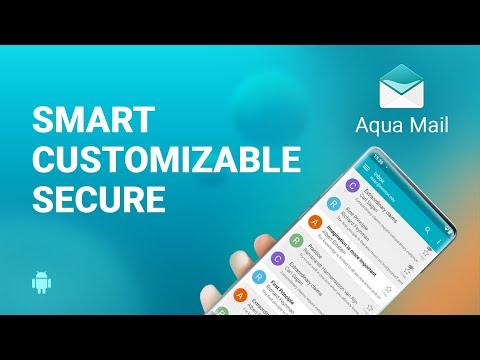
Screenshots of Email Aqua Mail - Secure Inbox
  • Email Aqua Mail - Secure Inbox
  • Email Aqua Mail - Secure Inbox
  • Email Aqua Mail - Secure Inbox
  • Email Aqua Mail - Secure Inbox
  • Email Aqua Mail - Secure Inbox
  • Email Aqua Mail - Secure Inbox
  • Email Aqua Mail - Secure Inbox
  • Email Aqua Mail - Secure Inbox
  • Email Aqua Mail - Secure Inbox
  • Email Aqua Mail - Secure Inbox
  • Email Aqua Mail - Secure Inbox
  • Email Aqua Mail - Secure Inbox
  • Email Aqua Mail - Secure Inbox
  • Email Aqua Mail - Secure Inbox
  • Email Aqua Mail - Secure Inbox
  • Email Aqua Mail - Secure Inbox
  • Email Aqua Mail - Secure Inbox
  • Email Aqua Mail - Secure Inbox
  • Email Aqua Mail - Secure Inbox
  • Email Aqua Mail - Secure Inbox
  • Email Aqua Mail - Secure Inbox
Description of Email Aqua Mail - Secure Inbox (from google play)

Aqua Mail is a private, secure email client for Android. It brings Gmail, Outlook, Hotmail, Yahoo Mail, iCloud Mail, Exchange, and Office 365 into one unified inbox. It also works as an IMAP and POP3 mail client for almost any provider. Downloaded over 5 million times, it is a free, intuitive, and customizable email app, simple to set up and backed by fast, human support.

■ Which email accounts work with Aqua Mail?
Aqua Mail works with Gmail, Outlook.com, Hotmail, Yahoo Mail, iCloud Mail, AOL Mail, GMX, Fastmail, Yandex Mail, Exchange, and Microsoft 365. Zoho Mail works on paid plans with IMAP. Webmail and custom domain email work too, from any IMAP or POP3 mailbox with SMTP. Type your email address, whether it ends in @gmail.com or your own domain, and Aqua Mail detects the account type.

■ Can I see all my email in one inbox?
Yes. The Smart Folder is Aqua Mail's unified inbox and email organizer. It collects new mail from multiple email accounts into one list, so you can check Gmail, Yahoo Mail, Outlook, and Hotmail email in one place.

■ Does Aqua Mail work with Microsoft Exchange and Office 365?
Yes. Aqua Mail is a business email client for work email on Exchange, Office 365, and Microsoft 365. Exchange email, contacts, and calendars sync with any calendar app or widget on your phone. Office 365 email connects through Microsoft Graph for secure, reliable sync. Premium adds Push for Exchange for immediate mail delivery.

■ Is Aqua Mail a private, secure email app?
Yes. Aqua Mail is not a cloud-based email client: it does not collect or store your passwords, emails, or message content. Gmail, Yahoo, Hotmail, Yandex, and Outlook email accounts sign in with OAuth2, so Aqua Mail never sees those passwords. For email security, connections use hardened SSL with certificate tracking, and Aqua Mail checks DKIM and SPF to help verify senders. Lock the app with a PIN or fingerprint (on supported devices) and choose when it locks: immediately or after up to an hour. Premium adds S/MIME for safe, signed, and encrypted email.

■ How customizable is Aqua Mail?
300+ features let you tune Aqua Mail to the way you work:
• Swipe between emails and select all in one tap
• Dark mode, plus text size control with the volume keys
• Rich text editor with fonts, colors, quoting options, and attachments
• A different signature for each account, with HTML, images, and links
• Notification, mail checking, and battery-saving options

■ What else can Aqua Mail do?
• Home screen widgets show priority mail at a glance
• Offline email: read downloaded mail with no connection
• Wear OS support: read your mail on your watch
• Handle large attachments
• Save any email as a PDF
• Back up and restore settings via a file or the cloud (Dropbox, OneDrive, Google Drive)

■ Is Aqua Mail free?
Yes. Aqua Mail is free to download and use, with ads. Aqua Mail Premium adds:
• Unlimited email accounts
• No ads
• Push for Exchange
• Mail identities (unlimited aliases)
• Filters (rules) for Outlook mail accounts
• Priority notifications
• S/MIME end-to-end encryption
• Email backup, plus an EML viewer to open and save EML files
• Copy emails to folders and delete folders
• Move messages between accounts
• Unsubscribe from mailing lists
• Pin messages and set email reminders
• Scheduled backups

■ How do I get help with Aqua Mail?
Aqua Mail offers fast, responsive user support from its own team. Send any question, complaint, or ticket, and a real person will help you sort it out.

■ Who is Aqua Mail for?
People who want one email manager for a personal Gmail or Yahoo Mail account and a work Exchange or Microsoft 365 account. Small businesses on Zoho Mail and IT teams managing corporate email. Privacy-minded users who want a private email app that does not read their mail. Anyone looking for a stock email app replacement.

Aqua Mail is available in 20 languages and runs on Android 7 or later, on phones and tablets. Keep every email account in one fast, secure inbox.

What's new in Email Aqua Mail - Secure Inbox
New in Aqua Mail 2.7.0
Fully optimized for Android 16.
Please rate this app

Email Aqua Mail - Secure Inbox Version History: APK Size & Android Support

Explore the version history of Email Aqua Mail - Secure Inbox for Android and see how the app has evolved over time. This section tracks versions added to the apkcafe.in catalog, including download size, declared permissions, and Android compatibility. Select a time period or a point on a chart to explore historical version data.

Email Aqua Mail - Secure Inbox Catalog Statistics

Email Aqua Mail - Secure Inbox Versions Added by Year

20264 versions added
New versions in the catalog

4 new Email Aqua Mail - Secure Inbox versions were added to the apkcafe.in catalog in 2026. The catalog contains 107 versions dating back to November 2013.

Email Aqua Mail - Secure Inbox Download Size History

2.7.0Oct 21, 202685.59 MB APKS: 76.87 MB base + 8.72 MB split parts
APKAPKS (split APK)

The Email Aqua Mail - Secure Inbox download size for most phones increased from 3.28 MB in version 1.2.5.5 (2013) to 85.59 MB in version 2.7.0, a 2505% increase. 9 of 107 versions in the catalog are APKS (split APK), starting with version 1.53.0 (November 2024).

Email Aqua Mail - Secure Inbox Permissions History

2.7.0Oct 21, 202631 permissions
Permissions declared by the version

Email Aqua Mail - Secure Inbox 2.7.0 declares 31 permissions, 15 more than version 1.2.5.5 from 2013 (16).

Email Aqua Mail - Secure Inbox Android Compatibility History

2.7.0Oct 21, 2026Android 7.0+, built for 16
Requires (minimum Android)Built for (target Android)

Email Aqua Mail - Secure Inbox 2.7.0 requires Android 7.0 or newer and is built for Android 16; version 1.2.5.5 from 2013 ran on Android 2.0 or newer.

Older versions of Email Aqua Mail - Secure Inbox. The apkcafe.in catalog has 107 versions of Email Aqua Mail - Secure Inbox, from 1.2.5.5 (Nov 2013) to Email Aqua Mail - Secure Inbox 2.7.0 (Oct 21, 2026). If the latest version has a bug, changed something you rely on or does not work on your phone, you can install an earlier one from the list of older Email Aqua Mail - Secure Inbox APK versions below.

Version 2.7.0 needs Android 7.0 or newer. On older phones: Android 5.0 runs up to version 1.54.1 (Jan 2025), Android 4.1 runs up to version 1.27.2-1730 (Dec 2020).

Android does not install an older version over a newer one, so uninstall Email Aqua Mail - Secure Inbox first. This usually deletes the app's data on the phone, so back up anything you need.

Dates show when each version was added to the apkcafe.in catalog. Size is the full download for most phones (APK and split parts); permissions are for the same build.

More info
Advertisement
Aqua Mail Older APK Versions for Android
Similar apps
Popular android apps